Adding and Updating Customer Accounts in R12
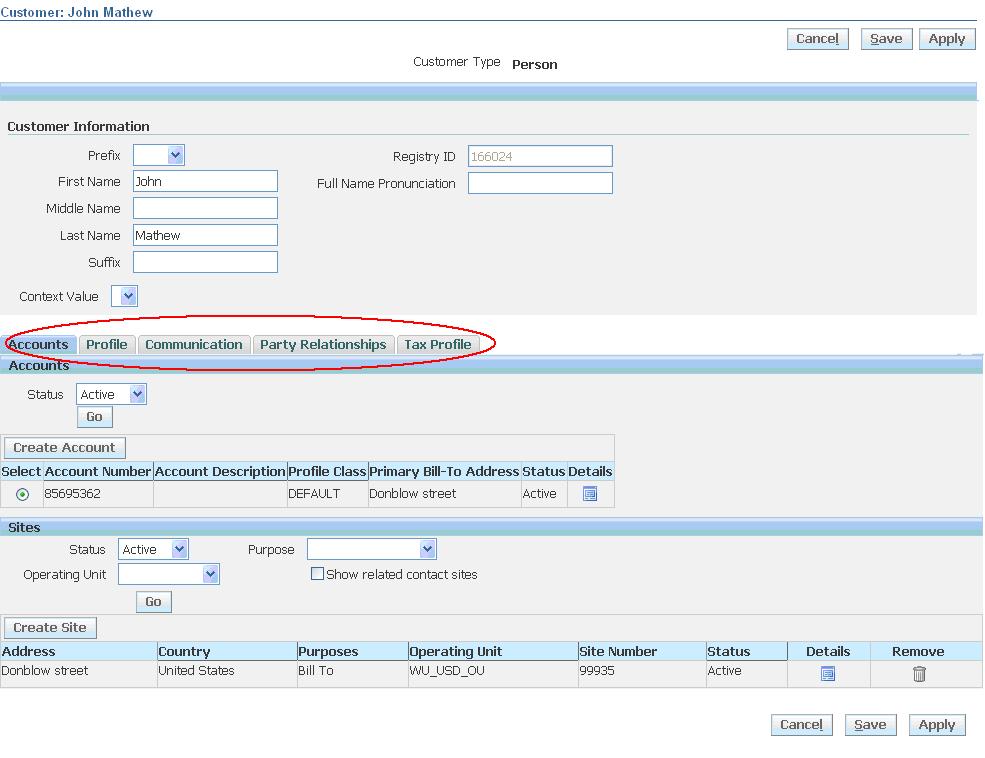
Use the Customer Overview page in R12 to manage details of your existing customers.
This page has five subtabs:
- Accounts.
- Profile
- Communication
- Party Relationships
- Tax Profile
Accounts:
Use the Accounts subtab of the Customer Overview page to view, add, and update the accounts of existing customers.
- view and update an account:
- view and update an account site
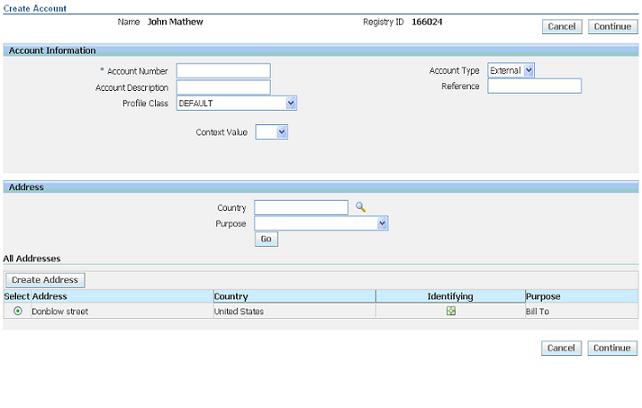
- create an account
- create an account site
Customer Profiles:
Use the Profile subtab of the Customer Overview page to add and update the profiles of existing customers.

Tax Registration Number
- The customer’s unique taxpayer registration number, also known as the VAT number.
- Oracle Receivables prints this number on customer invoices.
- Receivables provides country-specific validation of the tax registration number.
Credit Classification
- Displays the credit classification for a particular profile class.
Credit Analyst
- Indicates who is responsible for monitoring the creditworthiness of the account and for assisting in the resolution of credit-related issues.
Review Cycle
- Specifies how often to review the credit status of the customer account. For example, you can specify that the creditworthiness of the account is reviewed each month.
Customer Communication Information:
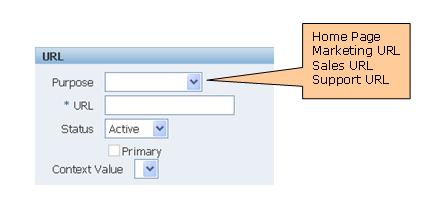
Use the Communication subtab of the Customer Overview page to enter and update contact information, such as phone numbers, e-mail addresses, and URLs, of existing customers.
Phone Numbers:
- FAX
- MOBILE
- PAGER
- TELEPHONE
- VOICEMAIL
Email Address:

URLs:
Party Relationships:
Use the Party Relationship subtab of the Customer Overview page to define, view, and update relationships among existing customers (parties), using predefined relationship types and roles.
Note: Relationship types and roles are defined using Oracle Trading Community Architecture Relationship Manager.

Relationship Role: Describes the role that an entity plays in a relationship.
Customer Tax Profiles:
Use the Tax Profile subtab of the Customer Overview page to set up, view, and update tax profiles for your customers.

No comments:
Post a Comment